Pixel & Tile Editor (Mac & iPad)
A downloadable tool
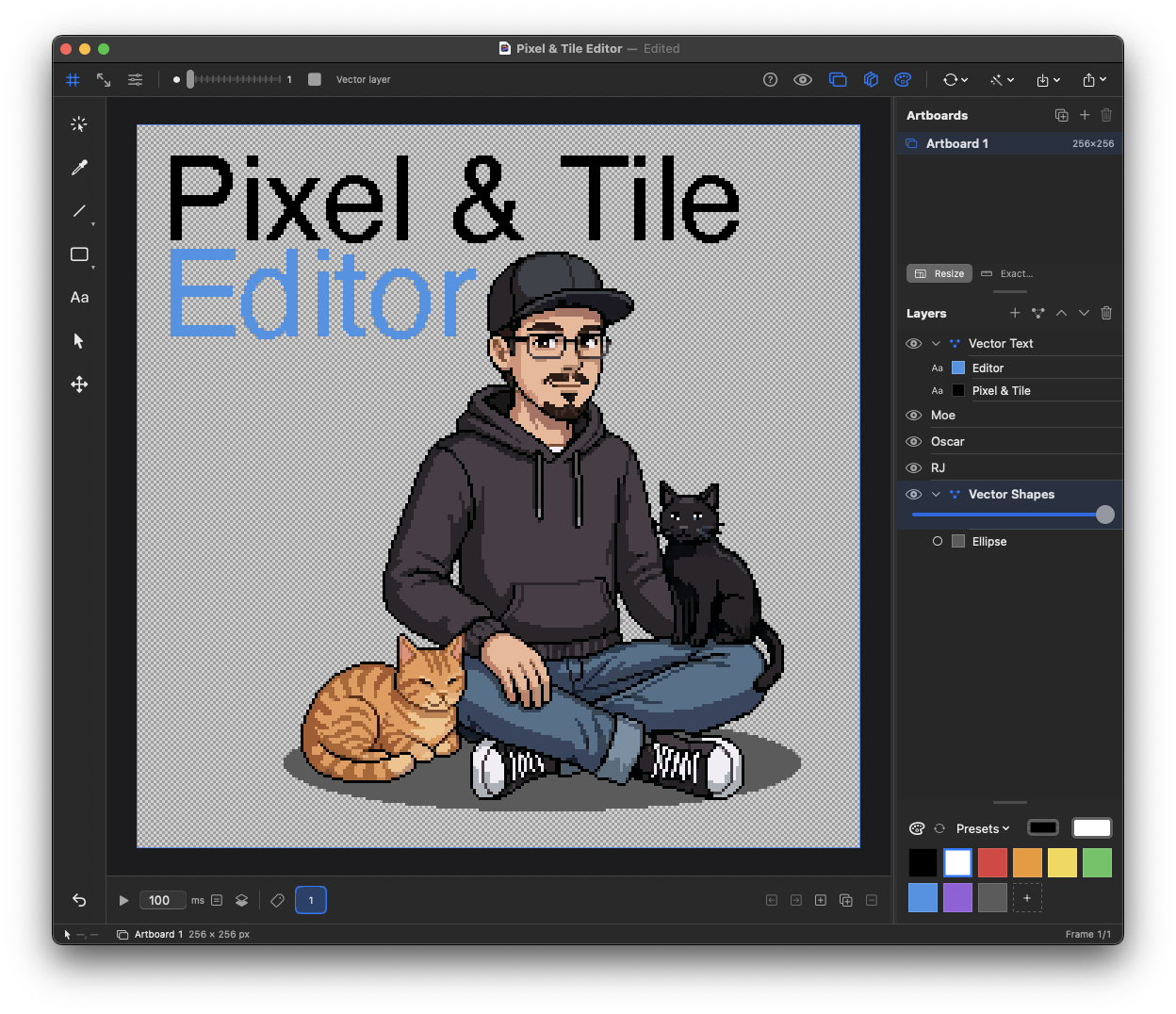
A professional pixel-art studio powerhouse, offering nondestructive authoring of sprites, tiles and animation.
With a host of modern tools like, vectors, smart objects and artboards. All on a GPU-accelerated Metal engine with one native app for Mac and iPad.
| ⚡ Metal-accelerated | 🎮 Custom palettes | ∞ Infinite artboards |
| 🔗 Live Smart Objects | 🎬 Sprite Sheet + GIF export | 🚀 Launching Q4 2026 |
Core Features
Built for serious pixel work
⚡ Metal Engine∞ Artboards🔗 Smart Objects◈ Vector Layers🖌 Drawing Tools⟳ Dynamic Selection
A True Native Engine
Built on Metal specifically for Apple platforms.
▸Lightning-fast custom Metal pipeline, only edited pixels get redrawn
▸Live tool preview before you click on every single tool
▸Super speed pan & zoom, no matter how large the canvas or collection of artboards
▸Low power usage, your battery lasts longer while you work
▸100% native SwiftUI shared between macOS and iPadOS.
🪞
Symmetry & Assist
Mirror any feature, tool, brushes, shapes and fills, across your choice of H/V or both axes. Dot-to-dot line drawing with live path preview.
🎬
Animation
Frame-by-frame with per-frame ms durations. Named tags (idle, walk, jump). Onion skinning. GIF and sprite-sheet export. All compatible with smart objects and artboards.
🔲
Tile Preview
Live tiling repeats your canvas from 1x to 5× on X, Y, or both axes, your choice! Dockable preview at 1× to 24× zoom updating live as you work.
🎨
Color & Palettes
All the presets you could want, from Game Boy to NES to PICO-8 and beyond, create your own. Crisp 1:1 swatches. Alt-click eyedrop mid-stroke.
📑
Layers
Unlimited pixel, vector, and instance layers. Vector layers expand to show every shape as a nested row. Pixel and Vector layers working hand-in-hand with Smart Objects.
📤
Import & Export
The most powerful import features available, with support for all popular image formats, auto-detect sprite sheets, and export features that match your workflow.
✨
FX Toolkit
Apply pixel-friendly effects like Noise, Blur, Sharpen, Chromatic Aberration, Find Edges, Posterize, Color Replace, Drop Shadow, and Outline in one place.
🧭
Perspective Warp
Warp artwork with adjustable control points for perspective shifts, screen-space distortion, and precise camera-style transforms.
--------------------------------------------------------------------------------------------------
Roadmap
Still leveling up
Here's what's coming, actively developed right now, and shipped as fast as possible.
Unity Export Pipeline
● In Dev
Packed sprite atlas + auto-generated .meta. One .anim clip per animation tag with exact frame timings. Drop into Unity — done.
Tile-Map Editor
● In Dev
Paint entire levels with your artboards as tilesets. Fix a tile once and every placement updates — Smart Object-style.
Pixel Layer Styles
✓ Done
One-click outlines, shadows, glows, and other effects generated with pixel-perfect rules for crisp, game-ready results.
Pixel Art Linter
○ Planned
Automatically detect banding, jaggies, stray pixels, pillow shading, and other common mistakes before export.
Advanced Palette Toolkit
○ Planned
Palette ramps, harmony generation, colour replacement, and project-wide palette management built directly into the editor.
Animation Inspector
○ Planned
Find frame jitter, flickering pixels, accidental edits, and inconsistent spacing across animations in one place.
Macro Recorder
○ Planned
Let artists automate repetitive editing and export workflows without writing Lua scripts or custom tools.
Keyframe Animation Tool
○ Planned
Create animated sequences with keyframes and puppet warping for expressive motion and deformation workflows.
Layer Blend Modes
○ Planned
Multiply, screen, overlay and friends for shading workflows — without leaving the pixel editor.
iPad On-Screen Modifiers
○ Planned
Shift/Ctrl/Alt at your thumb so every desktop convention works with just Pencil and touch.
Request a feature
🎨
Be first to get your hands on it.
PixelTileEditor launches Q4 2026. We're opening TestFlight spots now for both Mac and iPad, join early, shape the app, and get access before anyone else.
Download
Install instructions
Complete the form in the link and you will be added to the TestFlight. Apple will contact you directly with instructions on how to join the TestFlight and how to install the App.
Leave a comment
Log in with itch.io to leave a comment.